Migrating from Windows to 🐧 GNU/Linux while boosting productivity
Tired of paid licences and subscriptions? Discover the free software that replaces Microsoft in security, office work, design, multimedia and more.
Why migrate to free and open-source software?
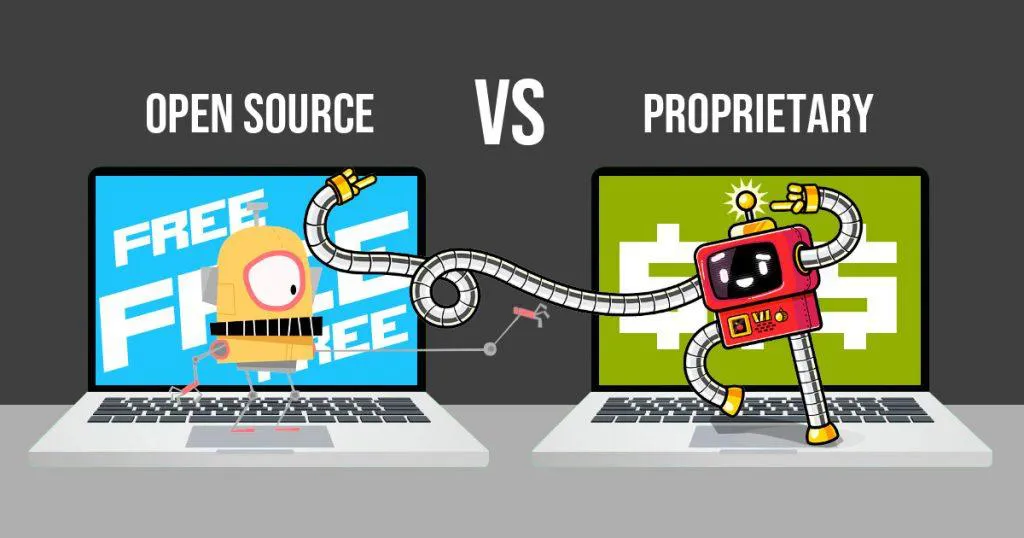
More and more users and businesses are looking for alternatives to Microsoft Windows' proprietary software that are free, private and cross-platform. This article compiles a comparison table between the best-known proprietary tools and their equivalents in GNU/Linux and free/libre open-source software (FLOSS).
You don't need to pay for subscriptions or licences to work, create or protect your computer. There is a mature, stable ecosystem with professional support that covers practically any need.
The essential categories for migration
| Microsoft Windows | GNU/Linux (Free or open-source software) | Description |
|---|---|---|
| 🔒 Security and networking | ||
| Microsoft Defender Proprietary antivirus |
ClamAV | Antivirus |
| Windows Firewall | Gufw Firewall | Firewall |
| 🗜️ Compression tools | ||
| WinRAR WinZIP |
File Roller 7-Zip |
File compressors |
| 🌐 Web | ||
| Microsoft Edge Chrome Firefox |
Brave Chromium LibreWolf |
Web browsers |
| 💾 Cloud storage | ||
| Google Drive Dropbox OneDrive Amazon S3 MEGA pCloud |
Rclone Nextcloud |
Cloud storage management |
| 📐 Web design | ||
| Dreamweaver | Silex Desktop | Website builder |
| 📁 FTP | ||
| CuteFTP | FileZilla | File transfer clients |
| ⬇️⬆️ Torrent and P2P clients | ||
| BitTorrent uTorrent |
Transmission qBittorrent |
Torrents |
| eMule | aMule | eD2k networks |
| 💬 Messaging and video conferencing | ||
| WhatsApp Telegram |
ZapZap Telegram Desktop |
Instant messaging |
| Zoom Meetings | Video conferencing | |
| 💼 Office software | ||
| Microsoft Office | LibreOffice | Office suites |
| Microsoft Outlook | Mozilla Thunderbird | Email clients |
| Adobe Acrobat Reader | Evince Okular |
PDF reader |
| Microsoft Journal | Xournal++ | Note-taking software |
| Calibre eBook | eBooks | |
| 🧩 Source code editors | ||
| Notepad++ | Kate Notepadqq |
Text and source code editor |
| 🎨 Graphic editing | ||
| Microsoft Paint | KolourPaint | Drawing |
| Photoshop | GIMP | Image editor |
| CorelDRAW Adobe Illustrator |
Inkscape | Vector graphics editor |
| Blender | 3D artistic creation | |
| AutoCAD | *FreeCAD (parametric 3D) *LibreCAD (2D-CAD) |
3D modelling and 2D technical drawing |
| *Compatibility with DWG is not perfect and requires adaptation. | ||
| 🎬 Multimedia | ||
| Windows Media Player | VLC VideoLAN Client | Media player |
| Photos | Shotwell | Image viewer |
| Spotify | Music streaming | |
| Adobe Audition FL Studio |
Audacity Ardour |
Audio editing |
| Mixxx | DJ software | |
| Camtasia ActivePresenter |
SimpleScreenRecorder | Screen recording |
| Clipchamp | Kdenlive | Video editing |
| Any Video Converter | HandBrake | Video converters |
| OBS Studio | Video recording and live streaming | |
| 🖨️ Peripheral drivers | ||
| Camera | Webcamoid Cheese |
Webcam software |
| Document scanner drivers | Xsane gscan2pdf |
Document scanner |
| Nero Burning ROM | K3b | Optical disc burning |
| ⚙️ System tools | ||
| cmd | kitty GNOME Terminal |
Command shell |
| HWiNFO | Hardinfo | Hardware monitoring |
| CPU-Z | CPU-X | Information about CPU, motherboard, RAM |
| EaseUS Partition Master | GParted | Disk management and editing |
| Rufus | Ventoy | Bootable USB |
| Regedit | dconf Editor | System registry |
| System Restore | Timeshift | System restore tool |
| Remote Desktop | RustDesk | Remote access |
| 📦 Virtualisation | ||
| VirtualBox VMware |
QEMU VirtualBox |
Virtual machines |
Is it realistic to make the jump?
Yes. The table shows that almost every tool for Microsoft has a direct, free and often lighter replacement. A few considerations:
- Format compatibility: LibreOffice opens and saves Office files with high fidelity, although there may be minor formatting adjustments.
- Learning curve: tools such as GIMP or FreeCAD require some adjustment, but their power is comparable.
- Support and community: free software has documentation, forums and constant updates.
Conclusion: free software is no longer a promise, it is a reality
If you are thinking about stopping depending on Microsoft, this list is your roadmap. Start with the tools you use every day —browser, office suite, media player— and you will see that the transition is easier than it seems.
Digital freedom does not have to come at the cost of productivity.
