


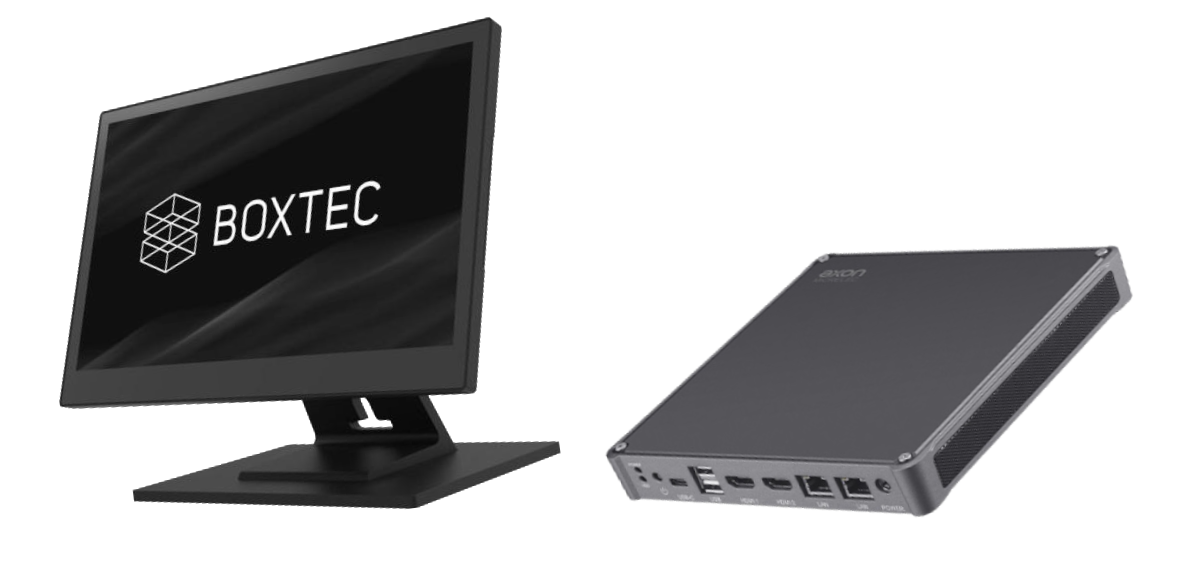
Key points for choosing a Point of Sale (POS) system.
The myth of used POS systems.
In the world of Point of Sale (POS) terminals, it's increasingly common to find options with "pre-owned" CPUs at "seemingly attractive prices". However, what many businesses don't realize is that these solutions are often actually used equipment from leasing companies, heavily used and obsolete for any moderately demanding business environment.
In this article, we debunk the myth surrounding these worn-out and unreliable POS systems and explain why a new or refurbished modular POS system is the best option for your business, especially since at telespino.com you can optimize your financial resources in the short, medium, and long term and have the security of a Technical Support Service tailored to your needs.
|
POS systems with "occasion" CPUs. |
New or pre-owned modular POS terminals with industrial-grade CPUs. |
|
❌ They are used in high-performance environments, which means considerable wear and tear. |
✅ Powerful new or used hardware to run with the demands of sales software without bottlenecks. |
|
❌ They come from rental contracts where they have been operating intensively for years, reducing their useful life. |
✅ Greater longevity by not going through extreme use cycles. |
|
❌ Outdated hardware limits compatibility with newer software versions and the latest peripherals, slowing down production or business operations. |
✅ Compatibility with current technologies and software, ensuring scalability and future updates. |
|
❌ Prone to failures in a short time, generating additional expenses in maintenance and replacement. |
✅ Lower energy consumption, which reduces operating costs in the long term. |
|
These drawbacks translate into financial losses for your business, since a slow, inefficient, and unreliable POS system directly impacts productivity and the service your customers deserve. Choosing a POS system with a "bargain" CPU may seem affordable in the short term, but in reality, it represents a financial and operational risk. |
|
|
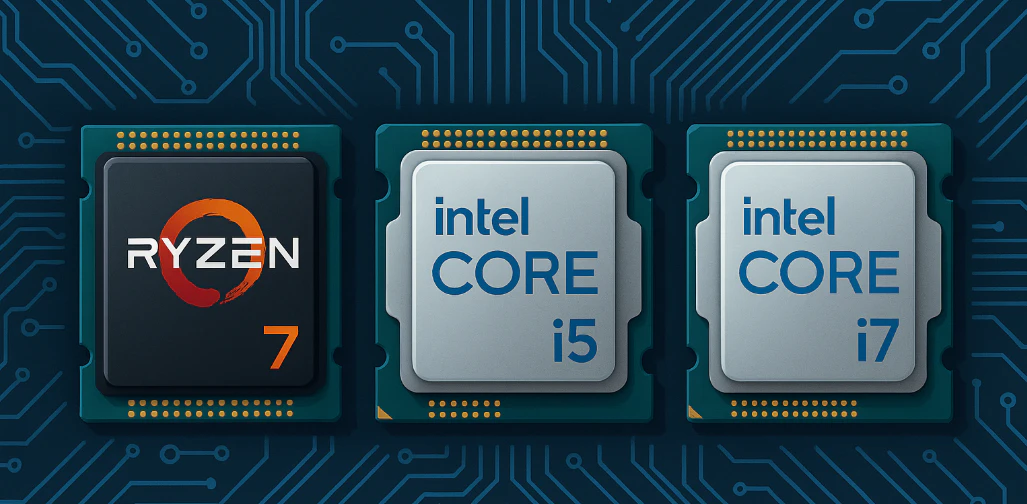
🔍 The best investment, without a doubt, is to opt for a modular POS system, new or used; with powerful hardware and backed by an adequate technical support service. |
Hardware or physical devices of the Point of Sale Terminal or POS. |
|
|
Modular POS. |
Compact POS. |
|
In the modular POS system we have the monitor, the Central Processing Unit, the ticket printer, the cash drawer and other additional elements separated. |
These systems, however, have all the necessary components to perform all restaurant tasks in a single device. In other words, the monitor, the Central Processing Unit, and sometimes even the receipt printer are integrated into one device. |
|
Implications: |
|
|
If one of the components breaks down, it can be replaced with a similar or equivalent one and continue working as soon as possible. |
If it breaks down, it completely stops the POS system. |
|
Advantages: |
Disadvantages: |
|
You can quickly resolve any eventuality of the different hardware devices (physical devices or components) by replacing and configuring only the module that presents the problem with another of similar characteristics or compatible from the market. |
Any component failure means the POS system is completely out of service. To this we must add the high cost of exclusive parts and replacements that manufacturers charge for these types of systems, and sometimes the impossibility of obtaining the part or replacement. |
The operating system. |
|
|
GNU Linux. |
Microsoft Windows 11 IoT. |
|
Thanks to this operating system, the user, and only the user, has control over any updates that may be required.
|
Although the Microsoft Windows 10 or 11 IoT (Internet of Things) version is a somewhat lighter system than the commercial Microsoft Windows operating systems, the user does not have absolute control over the operating system and its imposed Automatic Updates. |
|
|
|
|
Advantages: |
Disadvantages: |
|
Open Source operating system (free from proprietary license fees). Reports of infections on GNU/Linux are currently extremely rare, if not practically nonexistent. And if they do occur, they are due to user error rather than the operating system itself. Therefore, we can connect the system to the internet much more securely. |
These versions of Microsoft Windows require the purchase of an official license for each machine or device. Sometimes, the lengthy installation times and constant restarts of Automatic Updates—which are often not strictly necessary for the POS system's performance—can cause malfunctions, slow processes, and breakdowns of the operating system itself and/or one or more programs installed on it, including the POS management software. Furthermore, if this type of operating system needs to be connected to the internet, it is highly recommended to have various antivirus security software programs. As a result, the system consumes significantly more resources and becomes slower and more sluggish. |
|
Conclusions: |
|
|
GNU/Linux is the preferred operating system in academic, scientific, technical, and commercial communities that favor this solution. Its reliability, robustness, speed, and performance are well-known, resulting in greater efficiency and effectiveness. Regarding technical support, in addition to the aforementioned database management skills, properly trained personnel in GNU/Linux operating system administration are required. These interventions tend to be somewhat more expensive due to the technician's expertise in administering and managing the entire system. However, on the other hand, incidents and the need for these interventions are less frequent throughout the POS system's lifespan. In the medium and long term, they offer considerable savings in resources and equipment across the board. |
We have a proprietary system, licensed by Microsoft, with the corresponding financial outlay required for its legal use. A significant drop in the overall performance of the POS system is due to both Microsoft Windows Automatic Updates and various antivirus solutions. Time losses and breakdowns are much more frequent when connected to the internet. In short, it is a slow, unreliable, and insecure proprietary operating system that necessarily requires highly specialized technical support in database management, etc., to keep the system functioning as efficiently as possible. |


The program or software for managing the POS terminal. |
|
|
What is it?: Point of Sale (POS) software is a computer program used to automate tasks such as recording sales, generating reports, controlling inventory, and managing reservations, with the goal of optimizing and streamlining management and service in businesses. There are numerous POS management programs on the market. These programs are designed to be installed on various operating systems, such as Microsoft Windows, Android, and GNU/Linux, and some can be accessed via web platforms or online through a web browser. Virtually all of them require either the purchase of expensive software licenses or recurring monthly or annual subscription or fee payments. |
|
|
Open Source software alternatives. |
Proprietary software distributors. |
|
The open-source *ERP and CRM Odoo includes a Point of Sale (POS) application.
There are three versions:
The free, open-source version that is installed on a local machine managed by the user.
Completely free.
This version allows installation and management on your own local servers or in a third-party cloud. Monthly subscription per user. Generally more expensive than Odoo Online.
This is the Enterprise version hosted and managed by Odoo. Monthly subscription (although the "One App Free" plan is free forever). Alternatively, there is another very interesting option: uniCenta oPOS. This program, strictly focused on the point-of-sale (POS) system itself, was a benchmark in the POS world until the Spanish Tax Agency introduced regulations. It is a cross-platform solution (Microsoft Windows, macOS, and GNU/Linux) supported by a large community of users worldwide through forums on SourceForge. NOTE: For serious issues where the community cannot provide a timely solution, professional technical support is available at a cost of approximately €70 to €160 per year as of today. You are free to cancel your subscription at any time. Regarding implementation with FACe and Verifactu, there is currently no fully free solution, although the developers state they are working on one. Instead, paid alternatives are offered through third-party companies. |
Prices typically range from €70 for an Agora license per month to several hundred per year depending on the needs of the business. As for Android platforms and other cloud-based systems, they require subscriptions or recurring fees ranging from tens of euros per month or hundreds per year to other plans with greater features and therefore more expensive.
|
|
*ERP y CRM: Enterprise Resource Planning (Planificación de Recursos Empresariales) & Customer Relationship Management (Gestión de Relaciones con los Clientes) *On-Premise (on your server) or in a third-party cloud. *(SaaS): Software as a Service (Software como Servicio) hosted on Odoo servers. |
|

Implementation in Spain of the Verifactu electronic invoicing system of the Tax Agency. |
||||||||||
|
Verifactu originated from Law 11/2021, of July 9, on measures for the prevention and combating of tax fraud. This law amended the General Tax Law to require that billing computer systems guarantee the integrity, preservation, accessibility, legibility, traceability, and immutability of invoicing records. Invoicing software applications must include a declaration of responsibility, confirming their compliance with the Regulation on requirements for electronic invoicing solutions and the specifications approved in the Ministerial Order. |
||||||||||
Digitalization and Transparency Objective: FACe and Verifactu. |
||||||||||
FACe Its objective is to facilitate the submission of electronic invoices to public administrations, promoting digitization and reducing paper use. FACe (General Entry Point for Electronic Invoices) is the official Spanish government platform for electronic invoicing to public administrations. Managed by the Ministry of Economy, FACe serves as a centralized gateway for companies to send electronic invoices to the public sector, using the mandatory Facturae format. Verifactu: It also aims to digitize the invoicing process, but on a general level for all companies and self-employed individuals, sending invoices in real time to the Tax Agency to increase transparency and reduce tax fraud. In parallel, VeriFactu is a framework introduced by the Spanish Tax Agency (AEAT) to guarantee the traceability of invoices and prevent fraud. It requires companies to use certified invoicing software that generates tamper-proof invoices and, optionally, can transmit them in real time to the Spanish Tax Agency (AEAT). While FACe is already mandatory for B2G* transactions, Verifactu will soon be mandatory for many B2B and B2C* transactions under Spanish anti-fraud regulations. |
||||||||||
|
||||||||||
Mandatory use of FACe and Verifactu. |
||||||||||
|
Spain has made electronic invoicing through the FACe platform mandatory for all business-to-go (B2G) transactions between companies and public administrations. Companies issuing invoices to public administrations must use the Facturae format and send them through FACe to ensure their legal validity. Furthermore, Spain is introducing new requirements under the VeriFactu framework, which will soon make real-time, tamper-proof invoicing mandatory for many business-to-business (B2B) and business-to-consumer (B2C) transactions. |
||||||||||
|
ERP y CRM Odoo. |
Proprietary POS software. |
|||||||||
|
Advantages: |
Disadvantages: |
|||||||||
|
Odoo offers free integration with FACe, allowing users to send electronic invoices to Spanish public administrations at no additional cost. |
Regarding Verifactu, regulatory compliance requires the use of certified invoicing software, which may involve licensing or maintenance costs, depending on the provider. These FACe access points or integration providers may charge setup fees, per-invoice costs, or subscription-based pricing. |
|||||||||
Consequences of connecting POS terminals to the internet network. |
|
|
Open Source platform. |
Microsoft Windows platform. |
|
The end user controls the point-of-sale (POS) system platform, deciding whether or not to update the system. As a result, the platform's internet connection is not an issue. This avoids unwanted, continuous restarts and allows the end user to browse and perform office tasks without any problems. Because it is GNU/Linux software, a much more customizable, robust, fast, and reliable system, the end user needs to contact technical support less frequently. |
The point-of-sale (POS) system platform is controlled by the Microsoft Windows operating system. As previously explained, this means that Automatic Updates may require a system restart, often resulting in significant downtime between restarts, unwanted incidents (failures after the update), and considerable drops in overall system performance as these recurring updates are installed. The end user will be forced to request technical support much more frequently. Sometimes it is even necessary to remove the entire POS system for repair in a laboratory or workshop to avoid interrupting the end user's operations. Furthermore, the POS systems deployed in the country are typically equipped with mid-range or low-end processors. The implications of this, in the hypothetical case that the Tax Agency forces these systems to be connected to the administration via the internet network, is a considerable decrease in the performance of the aforementioned systems, even making it necessary to replace them with the consequent economic burden that the end user will have to bear. |